How do you run an affiliate program on Stripe?
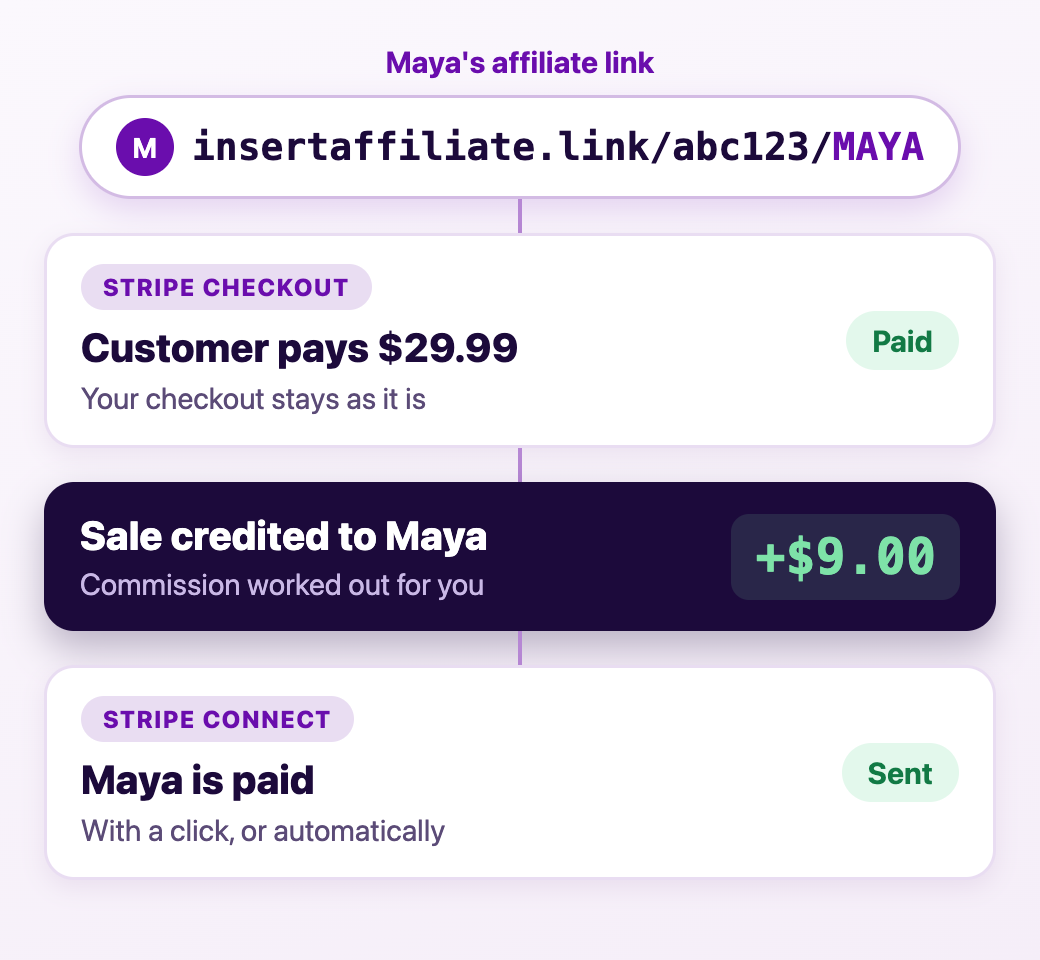
Stripe handles checkout, subscriptions and billing. An affiliate program needs three more things, and none of them are part of Stripe itself:
- A link or code for each affiliate, so there is something to share.
- A record of which affiliate drove each sale, which has to survive from the first click to the payment.
- A way to work out and pay commission, including on renewals.
You add these with affiliate software that connects to your Stripe account. Insert Affiliate is one such tool. Once it is connected, your checkout stays exactly as it is and each sale simply carries the name of the affiliate behind it.
What does Insert Affiliate track in Stripe?
- Stripe Checkout purchases, both one-off payments and subscriptions.
- The first payment of a subscription.
- Subscription renewals, so you can keep paying an affiliate for as long as their customer stays.
By default commission is worked out on the full invoice. If an invoice mixes several products and only some should earn commission (a subscription but not a setup fee, for example), you can list the Stripe prices that count and the rest are left out.
How does the tracking work?
- A visitor arrives through an affiliate's link, or types the affiliate's short code on your site.
- When that visitor goes to pay, your site adds the affiliate's code to the Stripe Checkout session.
- Stripe takes the payment as normal.
- Insert Affiliate sees the payment, credits it to the affiliate and calculates their commission.
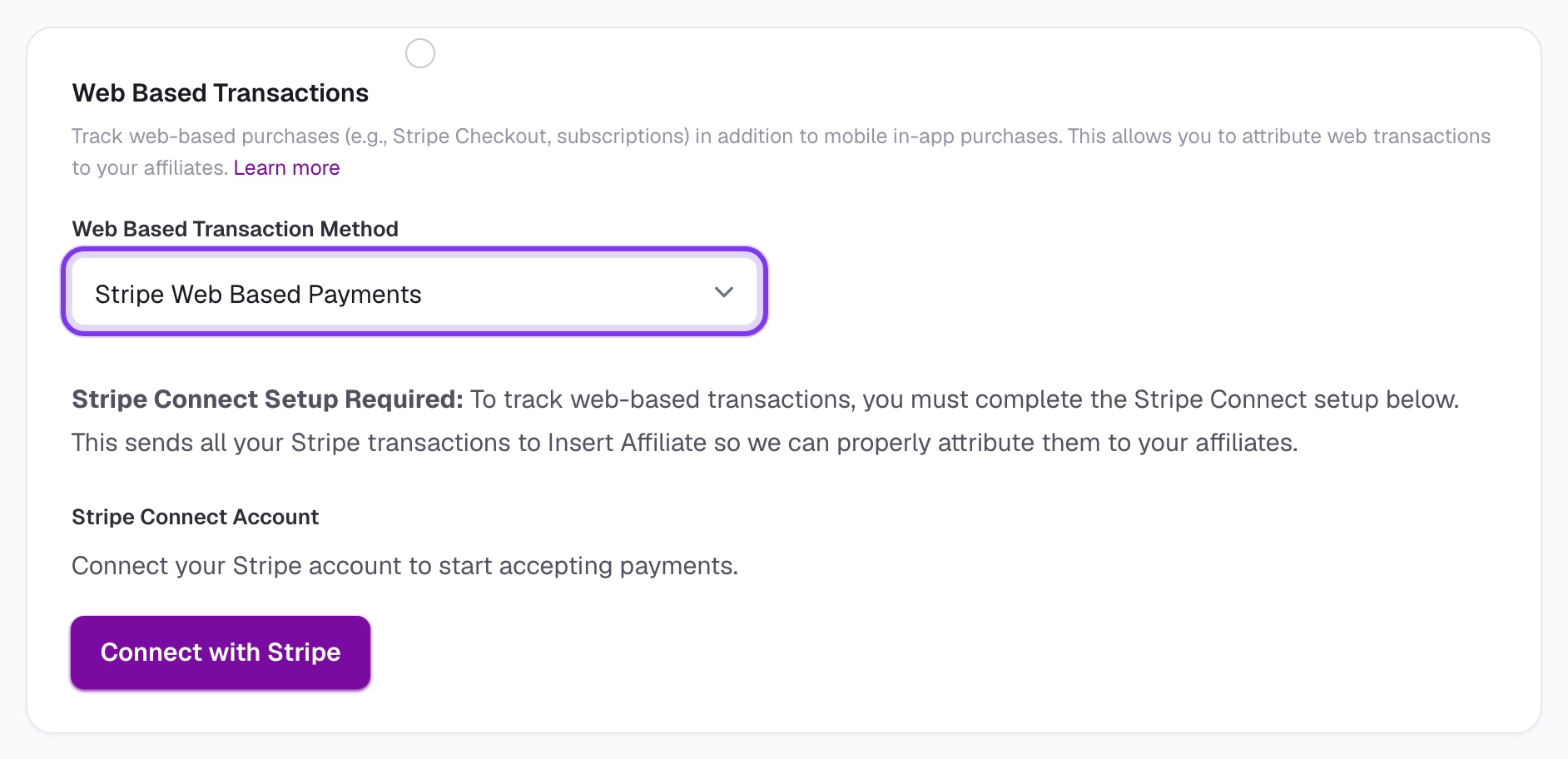
Your developer does step 2 once, using the Stripe setup guide. After that, new affiliates need no extra work.
How are affiliates paid?
Payouts also run through Stripe, using Stripe Connect. Each affiliate connects their own Stripe account, and you pay them from the Insert Affiliate dashboard.
- Pay with a click when you are ready.
- Or turn on automatic payouts and let them go out without you.
- An invoice is generated for every payment, so there is a record on both sides.
Affiliates see their own clicks, sales and earnings in their dashboard, which cuts out the messages asking what they are owed.
What if you sell in a mobile app as well?
This is where most Stripe affiliate tools stop. They track the web checkout and cannot see purchases made through the App Store or Google Play.
| Stripe-only affiliate tools | Insert Affiliate | |
|---|---|---|
| Stripe Checkout purchases | Yes | Yes |
| Stripe subscription renewals | Yes | Yes |
| App Store and Google Play purchases | No | Yes |
| Short codes typed inside an app | No | Yes |
| RevenueCat, Adapty, Apphud and Iaptic | No | Yes |
| Affiliate payouts through Stripe Connect | Varies | Yes |
Insert Affiliate tracks Stripe sales on the web and in-app purchases on iOS and Android in one place. An affiliate has one link, one short code and one dashboard, whichever way their customers end up paying. If you use RevenueCat with Stripe billing, there is a guide for that setup too.
For the full list of what the product does, see affiliate software for mobile apps.
Who is it for?
- Software and subscription businesses that sell through Stripe on the web.
- Apps with a web checkout as well as in-app purchases, who want one affiliate program across both.
- Mobile apps moving some sales to the web, who need affiliates credited either way.
It is not designed for online shops that sell physical products.
How does it compare with other Stripe affiliate tools?
The comparison pages set Insert Affiliate beside other affiliate tools one at a time, including Rewardful and Tapfiliate, with what each is built for and where each is the better choice.