See Your Affiliates' Content: Social Posts Now Sync Automatically
One of the biggest blind spots in affiliate marketing is not knowing what your affiliates are actually doing to promote your app. Are they creating content? Is it quality content? Which affiliates are putting in the work?
Today, we're excited to announce Affiliate Social Posts — a new feature that automatically imports your affiliates' promotional content directly into your Insert Affiliate dashboard.
How It Works
The process is simple:
- Affiliates connect their social accounts — They link their TikTok, YouTube, or other social media accounts via secure OAuth from their affiliate settings
- Content is automatically synced — Any posts containing
#InsertAffiliateare imported into the system - Companies see everything — View affiliate content, engagement metrics, and discover who's actively promoting your app
For Companies: Finally See What Your Affiliates Are Creating
Until now, you had to manually check each affiliate's social media channels to see if they were actually promoting your app. That's time-consuming and doesn't scale.
With Social Posts, you can now:
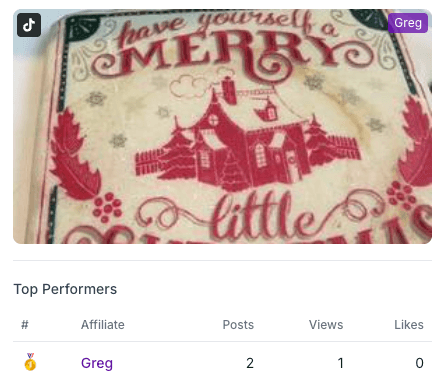
- View all affiliate content in one place — See thumbnails, titles, and engagement metrics for every promotional post
- Track engagement metrics — Views, likes, comments, and shares are displayed for each post
- Discover top promoters — Quickly identify which affiliates are creating high-engagement content
- Verify promotion quality — Ensure affiliates are representing your brand appropriately
This gives you unprecedented visibility into your affiliate program's content marketing efforts.
For Affiliates: Showcase Your Work
Affiliates work hard creating promotional content. Now that effort gets recognized.
- Connect once, sync automatically — Link your social accounts and your content appears in Insert Affiliate
- Show companies your value — Your promotional posts are visible to companies you work with
- Stand out in the marketplace — Display your best content on your marketplace profile to attract new partnerships
- Control what's shown — Choose which posts appear on the marketplace and which stay private
Getting Started
For Affiliates:
- Go to your affiliate settings
- Find the Connected Accounts section
- Click to connect your TikTok, YouTube, or other platforms
- Add
#InsertAffiliateto your promotional videos - Click "Sync Posts" to import your content
For Companies: Your affiliates' posts will automatically appear in your dashboard once they connect their accounts and sync content. No setup required on your end.
Privacy & Security
We take privacy seriously:
- OAuth-based authentication — We never see or store affiliate passwords
- Read-only access — We only access public video metadata and metrics
- Affiliate control — Affiliates choose what's visible on the marketplace
- Easy disconnection — Accounts can be unlinked at any time
What's Next
This is just the beginning. We're working on adding more social platforms and enhanced analytics to help you understand which content drives the most conversions.
Ready to see what your affiliates are creating? Log into your Insert Affiliate dashboard to get started.
Have questions about Social Posts? Contact our support team — we're here to help.